Listing Notes
Main listing keywords included:
- 3.5-inch hard drive
- not usable on Windows, Linux (Ubuntu) only
- made in Thailand
- brand new
Received Drive Photos and Initial Check
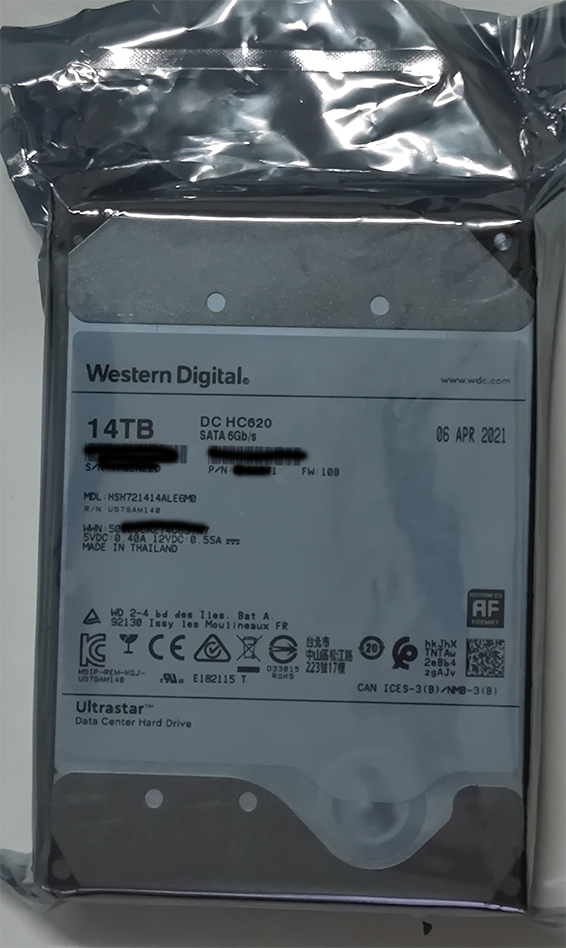
Packaging and appearance looked new. Manufacture date was 2021.

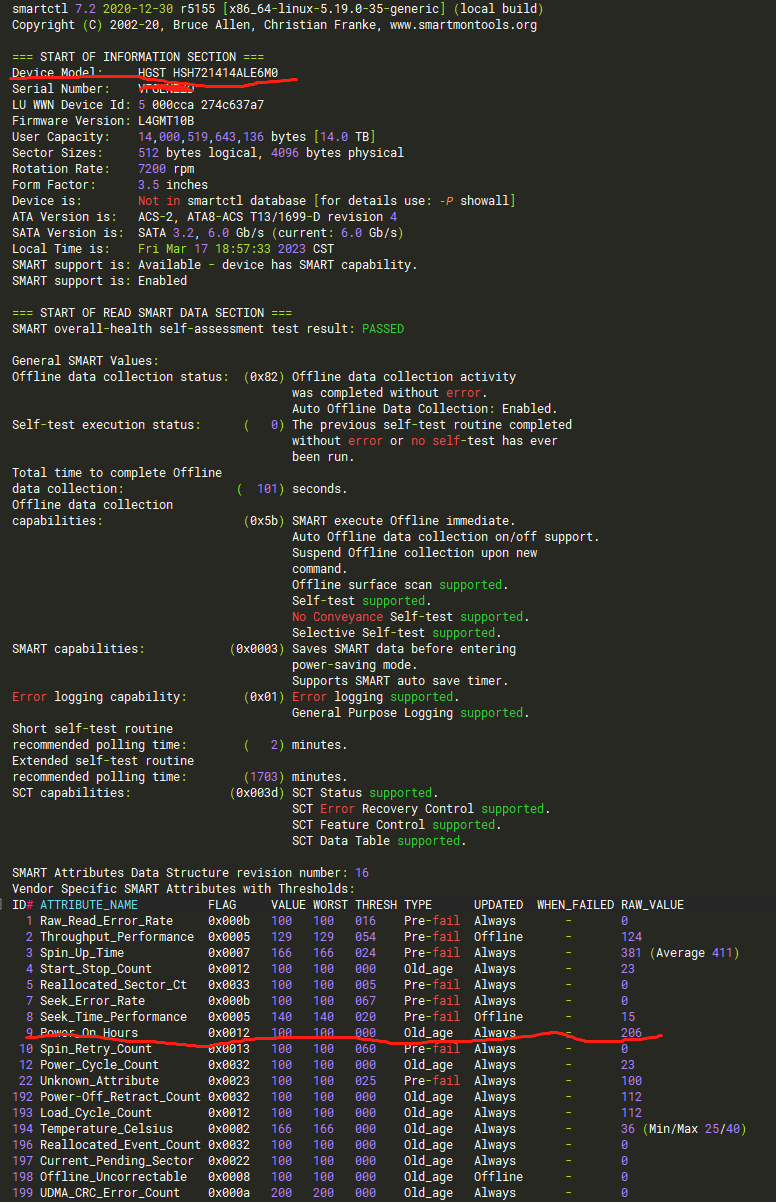
SMART check showed power-on hours = 0 at first boot.
Later recheck on 2023-03-28 (CrystalDiskInfo on Windows 10):
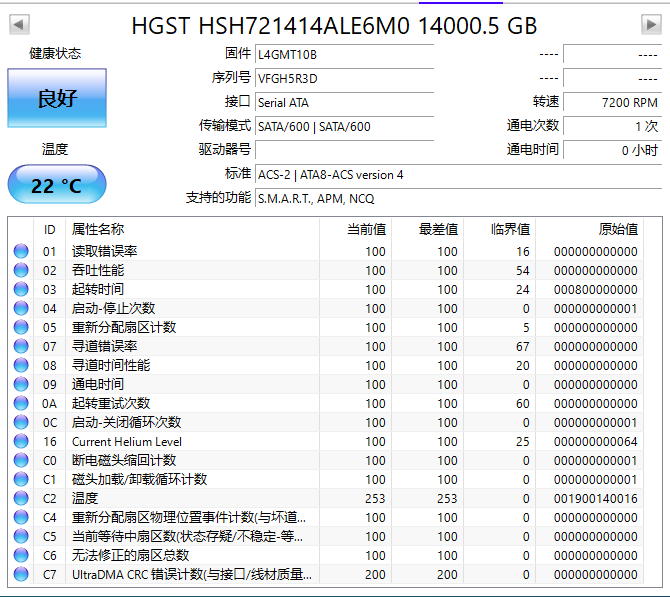 Power-on count was 1 and power-on hours still 0.
On Windows, the device could be detected but could not be normally partitioned/formatted for regular usage.
Installation
Physical connector and form factor are standard, so installation is straightforward.
How to Use (Host-Managed/Zoned Disk)
Reference: https://zonedstorage.io/docs/linux/fs
Common filesystems such as ext4/xfs are not suitable here; use zoned-capable filesystems like Btrfs or F2FS.
Btrfs setup
- Install tools:
|
|
- Find device:
|
|
- Format with zoned option:
|
|
- Mount:
|
|
F2FS setup
- Install tools:
|
|
- Find device:
|
|
- Format:
|
|
Mounting Notes
Mounting by UUID/label may fail for some setups (especially with specific zoned+Btrfs combinations).
A reliable method is mounting by disk ID (/dev/disk/by-id/...), usually using WWN:
|
|
Summary
Pros
- The drive looked truly new (possibly old inventory but unused).
- Price was very low for capacity.
- Suitable as secondary/backup storage in Linux.
Cons
- Not practical for normal Windows usage.
- Linux support works but feels niche and less plug-and-play.
- Host-managed behavior is not ideal for generic NAS scenarios.